
SavvyCal review for insurance agents: pricing, features and integrations
SavvyCal lets clients and prospects book time with you from a link or your agency website. Clients can lay their own calendar over yours to find a time, and SavvyCal checks your calendars, adds the meeting and sends email reminders.
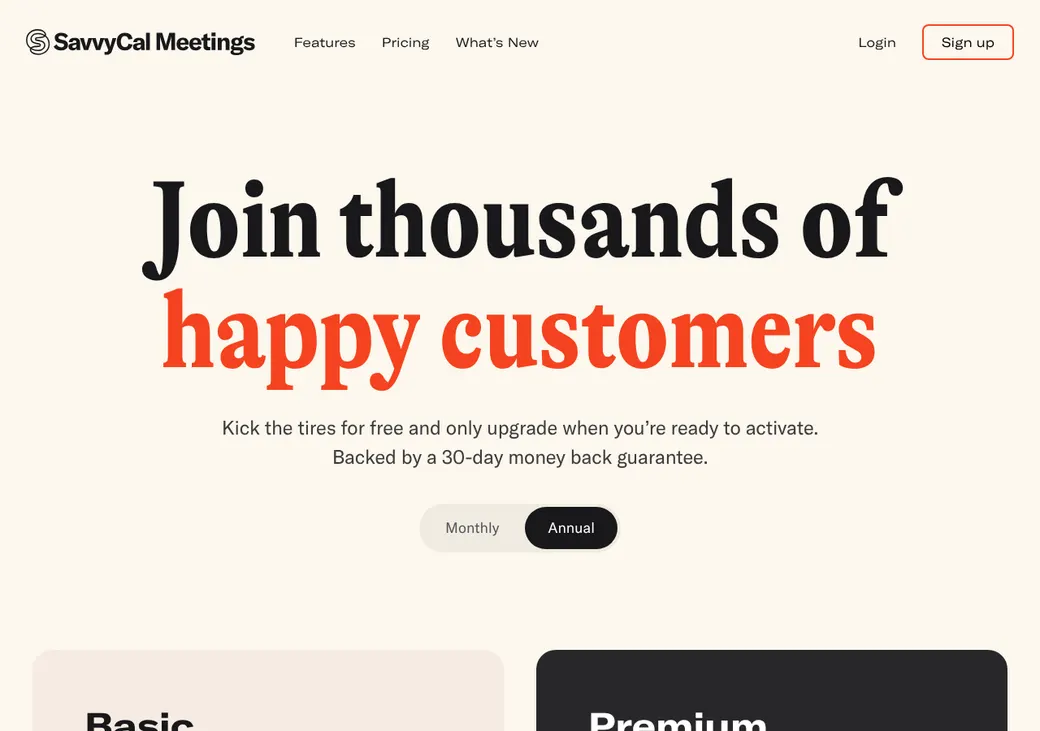
You need the Basic plan to take live bookings, and it includes round robin for agencies. Premium adds your own domain, branding control and payments.
- Best for
- Solo agents and small teams that want clients to see their own calendar while booking
- Price
- Free to set up and test. Paid plans from $10 a user per month, billed yearly
- Refund
- Full refund if you cancel within 30 days. No card needed to set up
- Team scheduling
- Round robin and collective meetings on both paid plans
- Reminders
- Email on both paid plans. Text only through Zapier and a texting service
- CRM connections
- HubSpot built in. Salesforce through Zapier and AgencyZoom through Integrately, an automation service like Zapier
- HIPAA BAA
- Not offered. Its terms ban health information
- Apps
- Web, plus browser extensions
Our take
SavvyCal is a good fit for a solo agent or small team that wants a clean booking page and flexible availability rules. Clients can see their own calendar next to yours while they pick a time.
Basic is the plan most agents need, since round robin, email reminders and HubSpot are all included. Premium makes sense if you want your own domain, no SavvyCal branding or payment at booking. There are no built-in text reminders and no phone app.
SavvyCal won't sign a BAA, and its terms ban health information. For Medicare work, leave health details, Medicare numbers and ages off the booking form.
Pros
- Clients can overlay their own calendar while choosing a time
- Unlimited calendars and booking links on both paid plans
- Round robin and collective meetings are on Basic
- Personalized, single-use and approval-required links
- HubSpot logs each meeting and keeps canceled ones in the history
Cons
- Your own booking links only go live on a paid plan
- No built-in text reminders
- Your own domain and payments need Premium
- Canceling a paid meeting doesn't refund the client on its own
- No BAA, and its terms ban health data and collecting the age of anyone 40 or older
Plans and pricing
| Plan | Billed yearly | Billed monthly | What it adds |
|---|---|---|---|
| Free setupSetting up and testing | $0 | $0 | Calendar connections, availability sharing, meeting polls and test links |
| BasicMost agents and teamsWhere most agents start | $10 | $12 | Live booking links, unlimited calendars, round robin, website embeds, email reminders, HubSpot, Zapier and the API |
| PremiumAgencies that want their own branding or payments | $17 | $20 | Your own domain, no SavvyCal branding, delegated access, payments and more reports |
Prices are per paid user each month, as of October 2026, from savvycal.com/pricing. Sales tax is added where required.
What it would cost you
Cost per month
First-year cost
Cost per booked appointment
Uses the seat prices in the table.
Good to know before you buy
- Every producer in a round robin needs a paid seat, not just the account owner.
- Yearly billing saves two months.
- Stripe, Zapier and any texting service are billed separately.
Which plan has it
| Feature | Free setup | Basic | Premium |
|---|---|---|---|
| Connect calendars and share availability | |||
| Meeting polls | |||
| Live booking links | Unlimited | Unlimited | |
| Round robin and collective meetings | |||
| Website embeds | |||
| Email reminders and follow-ups | |||
| HubSpot, Zapier, API and webhooks | |||
| Your own domain | |||
| No SavvyCal branding | |||
| Delegated account access | |||
| Take payment when booking | |||
| More reports |
Getting started
Sign up and connect your calendar
No card is needed. Pick the calendars that should block time and the one that gets new bookings.
Set up your appointment types
SavvyCal calls them scheduling links. Set the length, buffers, minimum notice and your intake questions.
Test your link
Try a booking yourself before any client sees it.
Choose a plan to go live
Your own booking links only work on a paid plan. Canceling within 30 days gets a full refund.
Share your link
Paste the link into emails and texts, or embed it on your site.
Help articles cover calendars, links, teams, embeds and workflows. Support is by email.
Booking and calendars
Booking pages and links
Clients book from a SavvyCal link or from your website, using an inline calendar, a link, a floating button or a popup. They can lay their own calendar over yours to find a time that suits them. Single-use links archive after one booking, and a link can hold a requested time until you approve it.
Intake questions
Every booking asks for name and email, and you can show or require a phone number. Your own questions can be text, checkboxes, multiple choice, dropdowns or hidden fields. Personalized links fill in a client's name, email, phone and answers for them.
Calendar sync
- Works with
- Google Calendar, Outlook and Microsoft 365, iCloud and Fastmail
- Calendars checked
- Any calendars you pick
- Where bookings go
- One calendar you choose. Each producer in a round robin can have their own
- Changes
- Clients get a notice when a meeting moves or is canceled. Reassigning a meeting replaces the calendar event
- Languages
- Booking pages come in English, French and Dutch
Mobile app
There's no phone app. You use SavvyCal in a web browser, with extensions for Chrome, Edge and Brave.
Team routing
Both paid plans can share appointments across producers. You pick how SavvyCal decides who gets each one.
Availability
Clients see every open time across the pool, and an open producer gets the meeting. You can give some producers priority, with the rest as backup.
Take turns
SavvyCal takes turns through the pool so each producer gets the next meeting in order.
A manager can reassign a booking by hand. Collective links book a time only when every producer you add is free, which suits a joint review.
Reminders and texts
Reminders and no-shows
Both paid plans include email workflows that run after booking and before or after the meeting. Use them for reminders, follow-ups and asking a client to reschedule. Calendar reminders are separate, and you can keep, change or turn them off.
Text reminders
SavvyCal doesn't send texts itself. You can set them up through Zapier and a separate texting service, which bill separately.
Integrations
| Connects to | Type | How | From plan | What it does |
|---|---|---|---|---|
| Google Calendar | Calendar | Built in | All plans | Checks busy times and adds bookings |
| Outlook and Microsoft 365 | Calendar | Built in | All plans | Checks busy times and adds bookings |
| iCloud and Fastmail | Calendar | Built in | All plans | Checks busy times and adds bookings |
| HubSpot | CRM | Built in | Basic | Creates the contact if needed and logs the meeting. Changes and cancellations update it |
| Close | CRM | Built in | Basic | Creates the lead or contact and logs the booking |
| Salesforce | CRM | Zapier | Basic | Creates a lead from a new booking |
| AgencyZoom | Agency CRM | Integrately | Basic | Adds notes and tasks when a client books or cancels |
| Kit email marketing | Email marketing | Built in | Basic | Sends client details and tags to Kit |
| Slack | Messaging | Built in | Basic | Posts new, moved and canceled bookings |
| Zapier | Automation | Zapier | Basic | Starts actions in other apps when someone books |
| API and webhooks | Developer | API | Basic | Books open times and sends booking changes to other systems |
| Stripe | Payments | Built in | Premium | Takes payment while the client books. A canceled meeting isn't refunded on its own |
Video meetings can use Zoom, Google Meet, Microsoft Teams or Whereby. Zapier, Integrately and Stripe are billed separately.
Security and HIPAA
HIPAA and health data
SavvyCal doesn't offer a BAA. Its terms ban collecting health information and some protected traits, including medical conditions and the age of anyone 40 or older. Keep Medicare numbers, health details and ages out of your booking questions.
Security
- Encrypted in transit
- Calendar events are read to check conflicts and aren't stored
- Hosted in the United States
- Limited staff access to live systems
- Passwords hashed and login tokens encrypted
Contract terms
- Billing
- Monthly or yearly, in US dollars plus sales tax where required
- Renewal
- Renews on its own for the same term
- Canceling
- Cancel under Settings and Billing or email support. It takes effect at the end of the paid term
- Refunds
- Full refund within 30 days of starting. After that, at SavvyCal's discretion
- Your data
- Booking records are available through the API. Personal data is returned or deleted on request when you leave
- Governing law
- Minnesota, with binding arbitration
From SavvyCal's terms, effective January 21, 2026.
What users say
What reviewers say most often, as of October 2026.
What users like
- Clients can overlay their own calendar
- Easy to use
- Flexible availability settings
- A clean, well-made interface
What users dislike
- Price for a solo user
- No phone app
- Team and account setup can be confusing
SavvyCal alternatives
- CalendlyFree plan. Paid from $10 a seat per monthText reminders on Standard and routing forms on Teams
- Acuity SchedulingFrom $16 a month per account. No free planOffers a BAA on Premium and connects to AgencyZoom
- Cal.comFree for one user. Teams from $12 a user per monthRouting forms on Teams and a signed BAA for health data
- YouCanBookMeFree plan. Paid from $8.10 a monthIts free plan takes live bookings from one booking page
- DoodleFree plan. Pro from $11 a monthGroup polls and sign-up sheets for seminars and client events
See every option in appointment scheduling software.
Frequently asked questions
How much does SavvyCal cost?
Basic is $10 a user per month billed yearly or $12 billed monthly. Premium is $17 or $20.
Does SavvyCal sign a BAA for HIPAA?
No, and its terms ban collecting health information.
Does SavvyCal do round robin?
Yes, on Basic and Premium. It can offer every open time across the team or take turns, and each producer in the pool needs a paid seat.
Can SavvyCal send text reminders?
Not on its own. You can send texts through Zapier and a separate texting service, which bill separately.
Does SavvyCal work with HubSpot or AgencyZoom?
HubSpot connects directly and logs each meeting on the contact. AgencyZoom connects through Integrately, an automation service like Zapier. It adds notes and tasks when a client books or cancels.
Can I use SavvyCal for free?
You can connect calendars, share availability and test links for free. Your own booking links only go live on a paid plan.
How we researched this review. We based this review on the pricing, terms and product pages published by SavvyCal, reviewed in October 2026, together with our team's experience working with insurance agents and agency owners since 2008.
Corrections
Vendors change their pricing all the time and they don't email us when they do. So if you see a price on here that's gone up, a plan SavvyCal quit selling or a contract term that reads different now, let us know and send the link to the page where SavvyCal has it. Somebody here pulls up that page and checks it before we change anything on ours.