HubSpot Meetings review for insurance agents: pricing, features and integrations
HubSpot Meetings is the booking tool inside HubSpot. Clients book from a link, your website or a chat window, and the meeting lands on your calendar and the contact's HubSpot record.
It fits agencies that already run sales in HubSpot. The free tools cover one link, and Sales Hub Starter adds round robin and team pages.
- Best for
- Agencies already on HubSpot that want bookings logged in the CRM
- Price
- Free with HubSpot's free tools. Paid Sales Hub seats from $7 a month billed yearly
- Team scheduling
- Round robin on Starter and up. Even or weighted rotations on Professional
- Reminders
- Up to three emails. No texts
- CRM connections
- HubSpot built in. Salesforce on Professional. AgencyZoom through Zapier. HawkSoft data through PowerSync or GLASS
- HIPAA BAA
- Enterprise plan only, through HubSpot's Sensitive Data setting, which protects health details
- Apps
- Web, iPhone and Android
Our take
HubSpot Meetings fits an agency that already keeps prospects in HubSpot and wants every booking logged there. Each meeting creates or matches the contact and records the outcome.
Starter is the plan most agencies need, since it adds round robin, team pages and intake questions. Professional makes sense when you want weighted rotations, and it comes with required onboarding.
There are no text reminders, only email. Medicare and health agents need Enterprise for the BAA.
Pros
- Bookings logged on the HubSpot contact automatically
- Free for one link and up to two users
- Round robin that favors whoever has gone longest without a meeting
- Sends known contacts to the producer who owns them
- Booking links for email, website embeds and chat
- Even or weighted rotations on Professional
Cons
- Email reminders only, with no texts
- A BAA needs Enterprise
- Professional and Enterprise require paid onboarding
- Routing doesn't check producer licenses or lines
- No built-in AgencyZoom or agency system connection
- No video link when you book from the app
Plans and pricing
| Plan | Yearly, per seat a month | Monthly, per seat | What it adds |
|---|---|---|---|
| Free toolsSolo agents with one booking link | $0 | $0 | One personal booking link with HubSpot branding, for up to two users |
| Sales Hub StarterAgencies that want team bookingWhere most agents start | From $7 | From $20 | Up to 1,000 booking links, no HubSpot branding, group and round robin pages, intake questions and website embeds |
| Sales Hub ProfessionalAgencies that weight who gets meetings | From $90 | From $100 | Even or weighted rotations, booking for other users and sales follow-up tools. $1,500 onboarding required |
| Sales Hub EnterpriseMedicare and health agencies that need a BAA | $150 | Yearly only | Single sign-on and the Sensitive Data BAA. Billed yearly, with $3,500 onboarding required |
Sales Hub seat prices as of October 2026, from HubSpot's pricing page. The lower figure is the yearly rate, so check which one your quote uses. Service Hub seats include the same scheduling tool.
What it would cost you
Cost per month
First-year cost
Cost per booked appointment
Uses the seat prices in the table. One-time onboarding on Professional and Enterprise is extra.
Good to know before you buy
- Scheduling has no price of its own. It comes with HubSpot's free tools or a Sales Hub or Service Hub seat.
- New Sales Hub customers have no seat minimum.
- Taking payment through HubSpot Payments adds a 0.75% platform fee plus Stripe's fee.
Which plan has it
| Feature | Free | Starter | Professional | Enterprise |
|---|---|---|---|---|
| Booking links | 1 | 1,000 | 1,000 | 1,000 |
| Users | Up to 2 | Per seat | Per seat | Per seat |
| Google or Office 365 calendar | ||||
| Contact and meeting logged in HubSpot | ||||
| Confirmation email and invite | ||||
| Email reminders | ||||
| No HubSpot branding | ||||
| Custom intake questions | ||||
| Group and round robin pages | ||||
| Even or weighted rotations | ||||
| Book for other users | ||||
| Automated follow-up email series (Sequences) | ||||
| Single sign-on | ||||
| BAA for health data |
Getting started
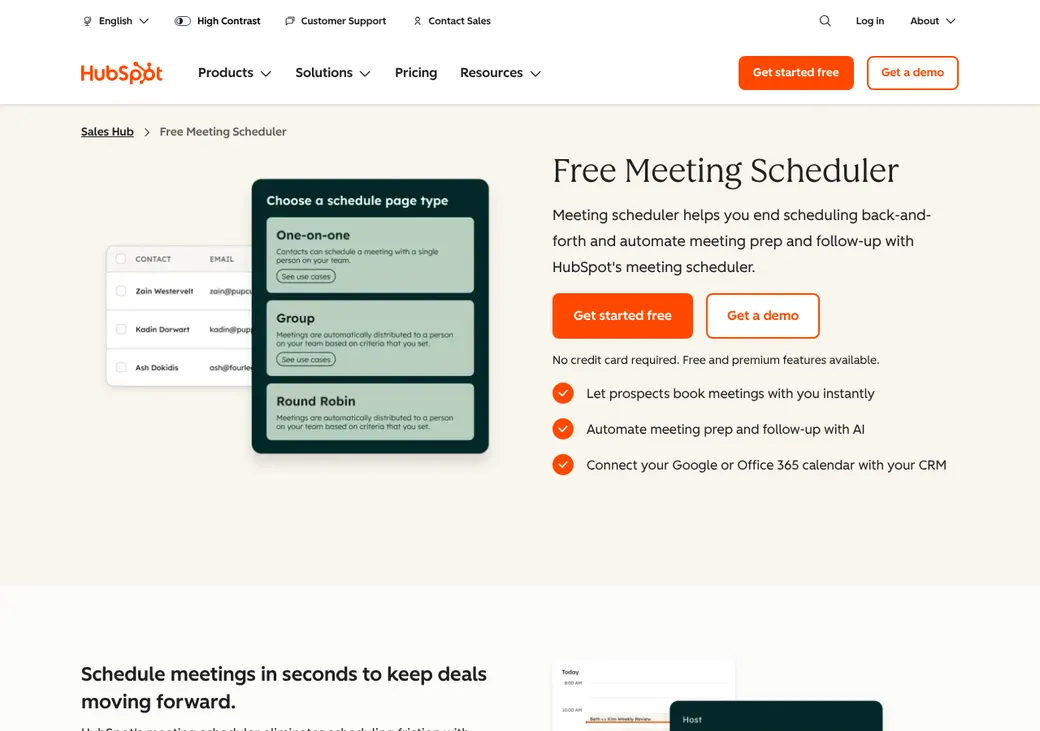
Sign up for the free tools
There's no timed trial. The free tools let up to two people share one booking link at no cost.
Connect your calendar
Link Google Calendar or Office 365. Busy events block times, and new meetings go on your default calendar.
Create your scheduling pages
Set up one-on-one, group or round robin pages with your hours, buffers and minimum notice. Paid seats can add intake questions.
Share your link
Send it in emails and texts, embed it on your site or add it to your chat widget.
Add seats when you need them
Starter unlocks team pages. Professional and Enterprise come with required paid onboarding.
HubSpot's help center covers setup. Paid plans add email, chat and phone support.
Booking and calendars
Booking pages and links
Clients book from a meetings.hubspot.com link, your own HubSpot domain, a page embedded on your site, a pop-up button or a chat widget link. Pages can be one-on-one, group or round robin.
Intake questions
The form asks for first name, last name and email. Sales or Service seats can add contact fields and custom questions, but not file uploads.
Known contacts can have their details filled in, and tracking links record the campaign and source of each booking. Pages can also take payment through HubSpot Payments or Stripe.
Calendar sync
- Works with
- Google Calendar and Office 365
- Calendars checked
- Your connected calendar plus other calendars you own or can see. Events you mark as free in your calendar stay bookable
- Where bookings go
- Your default calendar, with the meeting logged in HubSpot
- Changes a client makes
- Cancel and reschedule links in the invite update the meeting in HubSpot
- If a calendar disconnects
- Bookings can fall back to a request email. Failed bookings don't retry after you reconnect
Mobile app
The HubSpot app for iPhone and Android shares links and lets you book and edit meetings. You can't add a video link when you book from the app.
Team routing
Starter and up can share appointments across producers. Keep every producer's calendar connected, because a disconnected calendar counts as always free.
Round robin
Clients see open times across the team. When several producers are free, the one who has gone longest without a meeting gets it.
Rotations on Professional
Professional and Enterprise can split meetings evenly or by weight across a team. They can also book meetings for other users.
Contact owner
Team pages can send a known contact to the producer who owns them in HubSpot. Group pages only offer times when everyone is free.
Rotations don't know who is licensed. A rotation can hand a client to a producer who isn't licensed in their state or appointed with the carrier. Build a separate page for each group of producers who can serve that client.
Reminders and texts
Reminders and no-shows
Clients get a confirmation email and a calendar invite. Up to three reminder emails go out from your own address.
You mark no-shows yourself as a meeting outcome, along with completed, rescheduled and canceled. Following up after a no-show needs a separate HubSpot workflow or sequence.
Text messages
The scheduling tool doesn't send texts. HubSpot sells texting as a separate add-on, and US and Canadian numbers need carrier registration for business texting first.
Integrations
| Connects to | Type | How | What it does |
|---|---|---|---|
| Google Calendar | Calendar | Built in | Checks busy times and adds bookings |
| Office 365 | Calendar | Built in | Checks busy times and adds bookings |
| HubSpot CRM | CRM | Built in | Creates or matches the contact and logs the meeting and its outcome |
| Salesforce | CRM | HubSpot connector | Syncs meeting activity both ways on Professional and up |
| AgencyZoom | Agency CRM | Zapier | Creates contacts or engagements, not appointments |
| HawkSoft | Agency management | Partner tool | PowerSync or GLASS can sync HawkSoft data with HubSpot contacts |
| Zoom, Google Meet, Microsoft Teams and UberConference | Video | Built in | Adds meeting details to the invite |
| HubSpot Payments and Stripe | Payments | Built in | Takes payment when the client books |
| Scheduling API | Developer | API | Lists links, reads availability and books meetings |
| Webhooks | Developer | Workflows | Sends activity to other systems, with up to 10 triggers on Professional and 100 on Enterprise |
Zapier connections need a Zapier account, which is billed separately.
Security and HIPAA
HIPAA and health data
Enterprise hubs can turn on Sensitive Data, a setting that adds protections for health details, and accept terms that include a BAA. Keep health details out of HubSpot until that's in place. Free tools, Starter and Professional don't include it.
Security
- Enterprise includes single sign-on
- Audit logs on paid plans
- Roles control who can build scheduling pages
- Extra encryption and controls for health data on Enterprise
Contract terms
- Billing
- Monthly or yearly by plan. Enterprise is billed yearly
- Renewal
- Renews on its own unless you turn off auto-renew in Account and Billing before the term ends
- Refunds
- None, except prepaid fees when you end the contract for cause after a 30-day cure period
- Your data
- Export before the term ends. Download links last 30 days, and free accounts lose access after termination
From HubSpot's terms of service, checked October 2026.
HubSpot Meetings alternatives
- CalendlyFree plan. Paid from $10 a seat per monthText reminders on Standard, with HubSpot built in
- Chili PiperFrom $15,000 a year with 15 seatsRoutes by CRM owner, and routing plans can put a lead on a call with a producer right away
- OnceHubFree Basic plan. Paid from $10 a seat per monthA BAA add-on and Redtail, Wealthbox and AgencyBloc connections
- Acuity SchedulingFrom $16 a month per account. No free planText reminders on Standard and a BAA on Premium
- Zoho BookingsFree for one user. Paid from $6 a user per monthRound robin, routing forms and text reminders on Premium
See every option in appointment scheduling software.
Frequently asked questions
How much does HubSpot Meetings cost?
Scheduling is free with HubSpot's free tools. Paid Sales Hub seats start at $7 a month for Starter and $90 for Professional on yearly billing, or $20 and $100 monthly. Enterprise is $150 a seat, billed yearly.
Does HubSpot Meetings sign a BAA for HIPAA?
Only on Enterprise. Turn on Sensitive Data and accept its terms, which include the BAA, before any health details go into HubSpot.
Does HubSpot Meetings do round robin?
Yes, on Starter and up. It offers open times across the team, and Professional adds even or weighted rotations.
Does HubSpot Meetings work with AgencyZoom?
Through Zapier, at the contact or engagement level. HubSpot Meetings doesn't send appointments to AgencyZoom on its own.
Does HubSpot Meetings send text reminders?
No. It sends up to three reminder emails, and texting is a separate HubSpot add-on.
Is there a free HubSpot Meetings plan?
Yes. HubSpot's free tools include one booking link with HubSpot branding for up to two users.
How we researched this review. We based this review on the pricing, terms and product pages published by HubSpot Meetings, reviewed in October 2026, together with our team's experience working with insurance agents and agency owners since 2008.
Corrections
Vendors change their pricing all the time and they don't email us when they do. So if you see a price on here that's gone up, a plan HubSpot Meetings quit selling or a contract term that reads different now, let us know and send the link to the page where HubSpot Meetings has it. Somebody here pulls up that page and checks it before we change anything on ours.