Zoho Bookings review for insurance agents: pricing, features and integrations
Zoho Bookings lets clients book time with you from a link, your website or your Google Business Profile. It checks your calendars so people only see open times, then adds the meeting and sends reminders.
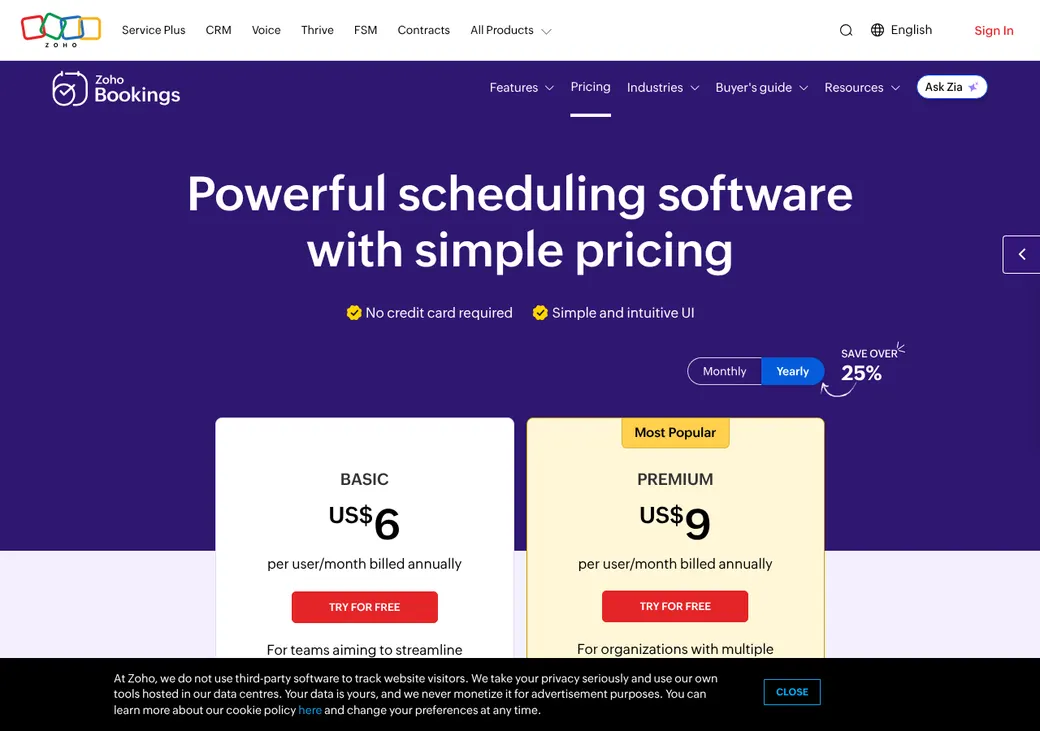
Solo agents can start free or on Basic. Agencies and health agents usually need Premium, and it fits best if you already use Zoho CRM.
- Best for
- Agencies already on Zoho, and health agents who need a BAA
- Price
- Free for one user. Paid plans from $6 a user per month, billed yearly
- Free trial
- 15 days of Premium. No card needed
- Team scheduling
- Round robin and weighted sharing on paid plans. Routing forms on Premium
- Reminders
- Email on every plan. Text on Premium through your own text provider
- CRM connections
- Zoho CRM and Bigin built in. HubSpot and Salesforce through Zapier
- HIPAA BAA
- On request, with HIPAA support on Premium
- Apps
- Web, iPhone and Android
Our take
Zoho Bookings is a good fit for an agency that already runs on Zoho. Bookings flow straight into Zoho CRM, Bigin and Zoho Calendar, so producers see appointments where they already work.
Premium is the plan most agents need, since it adds text reminders, routing forms and payments for $9 a user per month billed yearly. Basic suits an agent who only needs email reminders and several appointment types.
Medicare and health agents can ask Zoho for a BAA. Premium can encrypt and mask the health fields you mark.
Pros
- A BAA on request, with protected health fields on Premium
- Built-in Zoho CRM and Bigin connections
- Round robin, weighted and priority sharing among producers
- Routing forms send clients by their answers on Premium
- iPhone and Android apps
- A free plan for one user
Cons
- Texts need your own account with a provider such as Twilio
- Routing forms, texts and payments need Premium
- HubSpot and Salesforce connect only through Zapier
- Routing doesn't check producer licenses or carrier appointments
- Calendars are limited to Google, Outlook and Zoho
Plans and pricing
| Plan | Billed yearly | Billed monthly | What it adds |
|---|---|---|---|
| Forever FreeOne agent trying it out | $0 | $0 | One user, one appointment type, one calendar, email reminders and the mobile app |
| BasicAgents who only need email | $6 | $8 | Unlimited appointment types, two calendars, collective booking, email workflows, reports and Zapier |
| PremiumMost agents and agenciesWhere most agents start | $9 | $12 | Six calendars, routing forms, text reminders, payments, HIPAA support, audit log and Bigin |
| FLEXAgencies that want a custom plan | Quote only | Quote only | A plan Zoho builds around your requirements, priced by quote |
Prices are per user each month in US dollars, as of October 2026, from zoho.com/bookings/pricing. Prices can differ by country, and local taxes are extra.
What it would cost you
Cost per month
First-year cost
Cost per booked appointment
Uses the per-user prices in the table. Text messages are billed by your text provider.
Good to know before you buy
- Each extra person who takes appointments needs a paid user license.
- Zoho One customers already have Premium.
- Texts go through your own account with a text provider such as Twilio, which bills you separately.
- Payment providers charge their own processing fees.
- Your data and settings stay in place after the trial.
Which plan has it
| Feature | Free | Basic | Premium |
|---|---|---|---|
| Users | 1 | Per license | Per license |
| Appointment types | 1 | Unlimited | Unlimited |
| Calendars per user | 1 | 2 | 6 |
| Workspaces | 1 | 1 | 3 |
| Booking page, website embed and single-use links | |||
| Email confirmations and reminders | |||
| Collective booking | |||
| Email workflows | |||
| Zapier | |||
| Round robin and weighted sharing | |||
| Routing forms | |||
| Text reminders through your text provider | |||
| Take payment when booking | |||
| HIPAA field protection | |||
| Bigin and Zoho CRM custom modules | |||
| Audit log |
Getting started
Start the free trial
You get 15 days of Premium without a card.
Connect your calendar
Pick which calendars should block time and which one gets new bookings.
Set up your appointment types
Add one per meeting type, such as a quote review or an annual review. Add your intake questions.
Share your link
Send it in emails and texts, embed it on your site or add it to your Google Business Profile.
Choose a plan before the trial ends
Pick monthly or yearly billing to keep going. Your data and settings carry over.
Help is by email, the help center, webinars and video tutorials.
Booking and calendars
Booking pages and links
Clients book from a page for your agency, a workspace, an appointment type or one producer, or from your website as an inline calendar, button or link. Single-use links expire after one booking, and Zoho CRM can create a link with the client's details filled in. You can also add a booking button to your Google Business Profile.
Intake questions
Booking forms can ask required or optional questions, from short text to dropdowns, radio buttons and checkboxes, and can require clients to accept your terms. On Premium you can mark fields as health or personal data so they're encrypted and masked. Paid plans offer booking pages in ten languages, including Spanish, Portuguese and Chinese.
Calendar sync
- Works with
- Google Calendar, Office 365 and Outlook, Zoho Calendar and Zoho CRM Calendar
- Calendars checked
- One on Free, two on Basic and six on Premium for each user. Zoho CRM Calendar doesn't count toward the limit
- What blocks time
- Busy events. Events you mark as free in your calendar don't
- Where bookings go
- One calendar you choose, or none
- Changes in Zoho Bookings
- Moving or canceling a booking updates the calendar invite
- Bigin
- Bigin events block time, and changes in Zoho Bookings update them
Mobile app
The iPhone and Android apps let you book, move or cancel appointments, update status and payments, change your hours and share links. Booking pages also work well on phones.
Team routing
Each person who takes appointments needs a paid user license. You pick how Zoho Bookings shares out each appointment type among them.
Even spread
Spreads bookings across the producers who are free.
Rotate in order
Gives each booking to the next free producer in the order you set.
Load-based
Gives each producer the share of bookings you set as a percentage.
Priority
Books the free producer in the highest of four priority tiers.
Routing forms
On Premium, a routing form asks questions first, then uses rules built on the answers to send the client to a booking page, a web address or a message. A catch-all rule handles answers that don't match.
Licensing stays manual. Zoho Bookings has no record of producer licenses or carrier appointments. Assign each service only to staff who can write that business.
Reminders and texts
Reminders and no-shows
Every plan sends email confirmations and reminders. Basic adds email workflows, and Premium adds texts and custom workflows set off by bookings, payments, no-shows and more. You mark no-shows yourself, then reschedule or let a workflow follow up.
Text message rules
- Plan
- Premium
- How texts are sent
- Through your own account with a provider such as Twilio, Clickatell or Sinch
- Cost
- Billed by your text provider, not Zoho
- Sending number
- Comes from your text provider account
- Client consent
- A terms checkbox or your own question on the booking form
- US numbers
- Texting through Twilio, a separate texting service, needs US carrier registration for business texting
Integrations
| Connects to | Type | How | From plan | What it does |
|---|---|---|---|---|
| Google Calendar | Calendar | Built in | All plans | Checks busy times and adds bookings |
| Office 365 and Outlook | Calendar | Built in | All plans | Checks busy times and adds bookings |
| Zoho Calendar and Zoho CRM Calendar | Calendar | Built in | All plans | Checks busy times and adds bookings |
| Zoho CRM | CRM | Built in | Custom modules on Premium | Creates customers and meetings and lets staff book from a CRM record |
| Bigin by Zoho CRM | CRM | Built in | Premium | Creates or updates contacts and events and blocks busy times |
| HubSpot | CRM | Zapier | Basic | Runs HubSpot contact or record actions when a client books |
| Salesforce | CRM | Zapier | Basic | Runs Salesforce record actions when a client books |
| Zoom, Microsoft Teams, Google Meet and Zoho Meeting | Video | Built in | All plans | Adds a meeting link to the booking |
| PayPal, Stripe, Authorize.Net and others | Payments | Built in | Premium | Takes a full or partial payment at booking |
| Twilio and other text providers | Texts | Built in | Premium | Sends text notifications and reminders |
| Google Analytics 4 | Analytics | Built in | Premium | Tracks page visits, bookings and ad clicks |
| Zapier | Automation | Zapier | Basic | Sends appointment events to other apps |
| Booking API | Developer | API | All plans | Books appointments and marks them completed, canceled or no-show |
Zapier connections need a Zapier account, which is billed separately. Zoho Flow can also send booking events to other apps. The API allows 250 calls a day per user on Free, 1,000 on Basic and 3,000 on Premium.
Security and HIPAA
HIPAA and health data
Zoho provides a BAA on request, and HIPAA support comes with Premium. Fields you mark as health data are encrypted, masked and left out of exports. Name, email, phone and multi-line fields can't be protected this way, so keep health details out of them.
Security
- Encrypted in transit and at rest
- Two-factor sign-in
- Single sign-on with your company login
- Audit log on Premium
- Roles from Super Admin to Staff, limited by workspace
- Email check before booking, and blocked emails or domains on Premium
Contract terms
- Billing
- Monthly or yearly
- Renewal
- Renews on its own
- Notice
- Cancel at least seven days before renewal. Moving down to the Free plan doesn't need that notice
- Price at renewal
- Zoho's terms allow price changes
- Refunds
- Full refund in the first month of a monthly plan or first 45 days of a yearly plan, if Zoho can't fix the problem
- Forgot to cancel
- Refund within five business days of a monthly renewal or 15 days of a yearly renewal
- Fewer users mid-year
- Credited as extra time on your subscription
- Your data
- Export appointments and customers to CSV or Excel. Protected health fields aren't included
From Zoho's terms of service and refund policy, checked October 2026.
What users say
What reviewers say most often, as of October 2026.
What users like
- Easy to use
- Clients book on their own
- Works with other Zoho apps
- Forms and reminders
- Price for small teams
What users dislike
- Calendar and integration problems
- Few design options
- Mixed support experiences
- Limits in the mobile app
Zoho Bookings alternatives
- CalendlyFree plan. Paid from $10 a seat per monthBuilt-in HubSpot and Salesforce, with text credits included
- Cal.comFree for one user. Teams from $12 a user per monthRouting by agent attributes, with a BAA on Enterprise
- Acuity SchedulingFrom $16 a month per account. No free planPackages, deposits and waitlists, with a BAA on Premium
- OnceHubFree Basic plan. Paid from $10 a seat per monthRoutes by CRM owner and includes AI phone booking
See every option in appointment scheduling software.
Frequently asked questions
How much does Zoho Bookings cost?
Forever Free covers one user at no cost. Basic is $6 and Premium $9 a user per month billed yearly, or $8 and $12 billed monthly.
Does Zoho Bookings sign a BAA for HIPAA?
Zoho provides a BAA on request, and HIPAA support comes with Premium. Read the signed agreement before you collect health details.
Does Zoho Bookings do round robin?
Yes. It can rotate bookings in order, weight them by percentage or follow priority tiers, and Premium adds routing forms.
Does Zoho Bookings work with my CRM?
Zoho CRM and Bigin connect directly, creating customers and meetings from each booking. HubSpot and Salesforce connect through Zapier.
Can Zoho Bookings send text reminders?
Yes, on Premium, through your own account with a text provider such as Twilio. The provider bills you for each message.
Which calendars work with Zoho Bookings?
Google Calendar, Office 365 and Outlook, Zoho Calendar and Zoho CRM Calendar. It checks them for busy time and adds new appointments to the one calendar you choose.
How we researched this review. We based this review on the pricing, terms and product pages published by Zoho Bookings, reviewed in October 2026, together with our team's experience working with insurance agents and agency owners since 2008.
Corrections
Vendors change their pricing all the time and they don't email us when they do. So if you see a price on here that's gone up, a plan Zoho Bookings quit selling or a contract term that reads different now, let us know and send the link to the page where Zoho Bookings has it. Somebody here pulls up that page and checks it before we change anything on ours.