
GoReminders review for insurance agents: pricing, features and integrations
GoReminders sends text and email reminders for your client appointments and gives clients a page to book their own time. Clients can book on the spot or send a request your staff approve.
It fits solo agents and small offices. Most start on Professional for up to three reminders per appointment, and online booking is an add-on.
- Best for
- Solo agents and small offices that mainly need text and email reminders
- Price
- From $8 a month billed yearly, for 25 appointments a month. Online booking is an add-on with no published price
- Free trial
- 14 days with every feature. No card needed
- Team scheduling
- Clients can pick a staff member. Unlimited staff calendars on Scale
- Reminders
- Text and email. One per appointment on Basic, up to three on Professional and Scale
- CRM connections
- HubSpot and Salesforce contacts through Zapier on Professional and Scale
- HIPAA BAA
- None offered on its website or in its terms
- Apps
- Web, iPhone and Android. The apps were last updated in early 2020
Our take
GoReminders fits an agent whose main problem is clients forgetting appointments. It sends text and email reminders, and clients can reply to confirm, reschedule or cancel.
Professional is the plan most agents need, since it adds up to three reminders, reply-to-confirm and Zapier. Plan on paying for the booking add-on if clients will book themselves.
The limit that matters most is calendar sync. GoReminders sends appointments to Google or Outlook but doesn't read your busy times there, so keep your open hours current in GoReminders.
Pros
- Text and email reminders clients can reply to
- Booking requests that staff approve first
- Booking links that fill in the client's name, email and phone
- Unlimited user logins on every plan
- Opt-in form and STOP handling for texts
- Client and appointment exports to CSV
Cons
- Busy times on your other calendars don't block bookings
- Online booking is a paid add-on
- Prices rise with the number of appointments you book each month
- Basic sends only one reminder per appointment
- The phone apps haven't been updated in years
- No refunds for partial months
Plans and pricing
| Plan | Billed yearly | Billed monthly | What it adds |
|---|---|---|---|
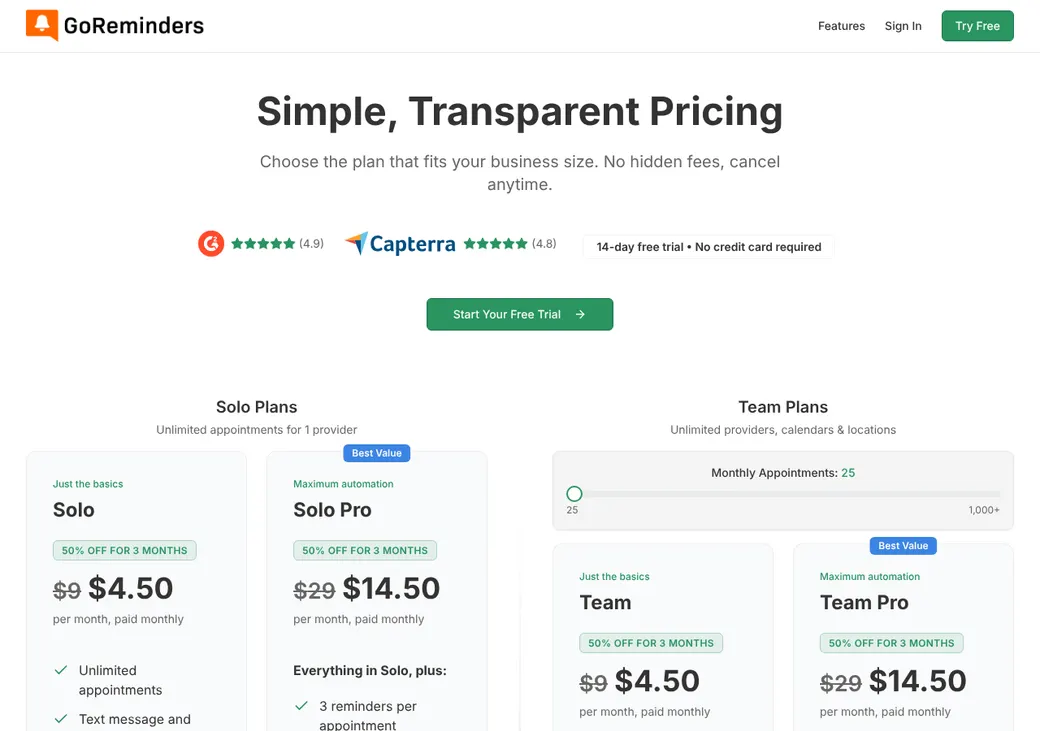
| BasicSolo agents with a light calendar | $8 | $9 | One reminder per appointment, one calendar, recurring appointments and unlimited logins |
| ProfessionalMost agentsWhere most agents start | $24 | $29 | Up to three reminders, reply-to-confirm, message sequences, custom fields, services, client time zones, the API and Zapier |
| ScaleAgencies with several staff or offices | $41 | $49 | Everything in Professional plus unlimited staff calendars and locations |
Prices are for the whole account each month at 25 appointments a month, as of October 2026, from goreminders.com/pricing. The price goes up with the monthly appointment allowance you choose. Yearly billing is paid up front and works out to two months free.
Good to know before you buy
- At the monthly appointment limit, scheduling stops until you upgrade or the month resets. There's no overage charge.
- In a group appointment, each client counts toward the limit.
- Nonprofits get 20% off, and so do extra accounts. There's no setup fee.
- The online booking add-on has no published price, so get a quote before you count on it.
Message credits and add-ons
Plan reminders and client replies are included. Other outgoing texts and emails, such as two-way messages and blasts, use one credit each. Extra credits cost $10 for 250 and don't expire.
- Paid add-ons: online booking, two-way messaging, message blasts and review requests
- Follow-up messages cost extra on Professional and Scale
Which plan has it
| Feature | Basic | Professional | Scale |
|---|---|---|---|
| Automated reminders per appointment | 1 | Up to 3 | Up to 3 |
| Text and email reminders | |||
| Unlimited user logins | |||
| Recurring appointments | |||
| Clients confirm by reply | |||
| Message sequences | |||
| Custom fields | |||
| Services | |||
| Client time zones | |||
| API and Zapier | |||
| Several staff calendars | Add-on | Add-on | Unlimited |
| Several locations | Add-on | Add-on | Unlimited |
| Online booking | Add-on | Add-on | Add-on |
| Follow-up messages | Add-on | Add-on |
Getting started
Start the free trial
You get 14 days with every feature and no card. The texting number isn't shown during the trial.
Connect your calendar
Send appointments to Google Calendar, Outlook or iCloud. Create and edit appointments in GoReminders, because outside events don't flow back in.
Set up your reminders
Pick the timing and wording for your texts and emails. Turn on confirmations so clients can reply to confirm, reschedule or cancel.
Add the booking page
If clients will book themselves, add the booking add-on. Choose instant booking or staff approval.
Choose a plan before the trial ends
You need a paid plan to keep using it. Pick one by features and by how many appointments you book each month.
Support is by phone, email and chat, with a help center.
Booking and calendars
Booking pages and links
Clients book from a hosted form or one embedded on your website. They can book on the spot or send a request that staff approve first. Links can fill in the client's name, email and phone and can preselect a time.
Intake questions
The form asks for the location, staff member, service and time. You can also require a phone number or email.
Professional and Scale add custom fields and show times in the client's own time zone. Booking forms come in 15 languages, including Spanish.
Payments
You can take a deposit or full payment through Stripe, send a payment link and see who has paid.
Calendar sync
- Works with
- Google Calendar, Outlook and Apple Calendar, including iCloud
- Busy times elsewhere
- GoReminders doesn't read your other calendars, so events you add there don't block booking times
- Where bookings go
- Google Calendar, or a GoReminders calendar it adds in Outlook. Apple Calendar and iCloud get a calendar feed
- Changes you make
- Make them in GoReminders. Google and Outlook update right away, and Apple Calendar updates when it next refreshes the feed
Mobile app
GoReminders works in a browser and has iPhone and Android apps. The app store listings show their last updates in early 2020.
Reminders and texts
Reminders and no-shows
Basic sends one automated reminder per appointment, and Professional and Scale send up to three. You set the timing and wording of each text and email.
With confirmations on, clients reply C to confirm, R to ask to reschedule or X to cancel. Staff mark no-shows with a private label, which stops any reminders and follow-ups still to come.
Text message rules
- Client consent
- A shareable opt-in form collects name, phone and email and explains what clients are signing up for
- Sending number
- A dedicated number for your account. It handles texts only, not calls
- Opt-outs
- STOP ends reminders and message blasts. START or YES turns them back on
- Credits
- Reminders and replies are included. Other outgoing messages use credits. See message credits and add-ons
- Countries
- The US, Canada, the UK, Australia, Hong Kong and six European countries
Integrations
| Connects to | Type | How | What it does |
|---|---|---|---|
| Google Calendar | Calendar | Built in | Sends your appointments to Google |
| Microsoft Outlook | Calendar | Built in | Adds a GoReminders calendar with your appointments |
| Apple Calendar and iCloud | Calendar | Calendar feed | Shows appointments in Apple calendars |
| HubSpot | CRM | Zapier | Adds or updates contacts from GoReminders |
| Salesforce | CRM | Zapier | Adds or updates contacts from GoReminders |
| Mailchimp and Constant Contact | Email marketing | Zapier | Adds new or updated clients to a mailing list |
| Google Contacts and Google Sheets | Other | Zapier | Saves new clients |
| Stripe | Payments | Built in | Takes deposits and payments |
| Zoom | Video | Link in reminder | Puts your personal meeting room link in reminders |
| Your website | Website | Embed code | Puts the booking form on your site, with WordPress steps |
| API | Developer | API | Books appointments from your own systems. Ask support for access |
Zapier and the API come with Professional and Scale. Zapier is billed separately by Zapier.
Security and HIPAA
HIPAA and health data
GoReminders doesn't offer a BAA on its website or in its terms. Keep Medicare numbers and health details out of reminder texts and booking questions.
Security
- Separate logins with permissions you set
- Encrypted in transit
- Cloud hosting with secure storage
Contract terms
- Billing
- Month to month, or yearly paid up front
- Renewal
- Monthly plans renew on the same date each month
- Canceling
- Any time. Charges already due stay due, including the full month you downgrade
- Refunds
- A 30-day refund guarantee. After that, fees are paid in advance and partial months aren't refunded
- Your data
- Export clients and appointments as CSV files. GoReminders may delete your data as soon as you cancel, so export first
From GoReminders' terms of service, last updated October 21, 2013.
What users say
What reviewers say most often, as of October 2026.
What users like
- Quick to set up
- Easy to use
- Saves staff time
- Helpful support
- Fewer forgotten appointments
What users dislike
- Add-ons and appointment limits raise the cost
- Little room to customize
- Limited calendar and app connections
GoReminders alternatives
- CalendlyFree plan. Paid from $10 a seat per monthReads your calendars and offers round robin on Teams
- Acuity SchedulingFrom $16 a month per account. No free planBooking, intake forms and payments built in, with a BAA on Premium
- SetmoreFree for up to four users. Pro from $5 a user per monthConnects to AgencyBloc and HubSpot, with a BAA through Setmore Health
- SimplyBook.meFree plan. Paid from $11.90 a month per accountWaitlists and a BAA on request from Standard
- EZnet SchedulerFree Starter plan for one user. Paid from $49.95 a month for the whole accountVoice reminders and one shared schedule for up to 50 users
See every option in appointment scheduling software.
Frequently asked questions
How much does GoReminders cost?
At 25 appointments a month, Basic is $8 and Professional is $24 a month billed yearly ($9 and $29 monthly). Online booking costs extra on every plan.
Does GoReminders have a free trial?
Yes. It runs 14 days with every feature, and you don't need a card.
Does GoReminders sync with Google Calendar and Outlook?
It sends your appointments to Google Calendar and Outlook. It doesn't read them back, so events you add there won't block booking times.
Does GoReminders work with HubSpot or Salesforce?
Through Zapier, which comes with Professional and Scale. Zapier can add or update HubSpot and Salesforce contacts from GoReminders.
Can I approve appointments before clients are booked?
Yes. Turn on booking requests and staff approve each one before it goes on the calendar.
Can clients opt out of GoReminders texts?
Yes. Replying STOP ends reminders and message blasts, and START or YES turns them back on.
How we researched this review. We based this review on the pricing, terms and product pages published by GoReminders, reviewed in October 2026, together with our team's experience working with insurance agents and agency owners since 2008.
Corrections
Vendors change their pricing all the time and they don't email us when they do. So if you see a price on here that's gone up, a plan GoReminders quit selling or a contract term that reads different now, let us know and send the link to the page where GoReminders has it. Somebody here pulls up that page and checks it before we change anything on ours.