
GloveBox CRM review for insurance agencies: pricing, lead routing and integrations
GloveBox CRM, sold today as Better Agency CRM, is a sales and service CRM for P&C agencies. Website leads land in a sales pipeline, rotate among your producers and get email and text campaigns built for insurance.
Solo covers one agent and Team covers two, with more seats sold one at a time. It syncs with Momentum AMP (formerly NowCerts) and imports from EZLynx and HawkSoft.
- Best for
- Solo P&C agents and small independent agencies that want sales, service and renewal pipelines at a published price
- Price
- Solo $49 a month for one user. Team $79 a month for two users, plus $49 a seat
- Free trial
- No trial. Monthly plans can be canceled
- Lead intake
- Website forms, CSV import and Zapier
- Assignment
- Round robin or weighted by sales team, or one named user
- Texting and calling
- Texting and email campaigns built in. Calls pop up through Lightspeed Voice
- Agency systems
- Momentum AMP two-way. EZLynx daily import. HawkSoft data comes in
- Contract
- Month to month, or 12 months paid yearly
Our take
Solo P&C agents and small independent agencies get sales, service and renewal pipelines ready to go with GloveBox CRM. Website leads land in the sales pipeline and campaigns start on their own, with more than 100 to pick from.
Team is the usual pick once you have staff, because it covers two users and lets you rotate leads. Momentum AMP agencies get a true two-way sync, and EZLynx books come in by daily file.
It isn't built for heavy lead buyers. No lead vendor feeds are built in, so purchased leads come in through Zapier.
Pros
- Published monthly prices with every feature on every plan
- More than 100 ready-made sales, renewal and win-back campaigns
- Two-way Momentum AMP sync and a daily EZLynx import
- Round robin or weighted lead rotation by team
- Win-back campaigns timed to a lost prospect's policy expiration date (x-date)
- No onboarding fee
Cons
- No built-in lead vendor feeds
- No free trial
- Texting needs a phone carrier registration first
- A full data export when you leave costs $1,500
- No app store app for agents
Plans and pricing
| Plan | Billed monthly | Billed yearly | Users | What you get |
|---|---|---|---|---|
| SoloOne agent | $49 | $41.65 | 1 | Every feature: sales, service and renewal pipelines, email and text campaigns, imports and reports |
| TeamAgencies with staffWhere most agencies start | $79 | $67.15 | 2, up to 100 | Everything in Solo for two users. Each extra seat is $49, or $41.65 billed yearly |
Prices are per month, as of October 2026, from the sign-up checkout, which takes 15% off a year paid at once. GloveBox CRM's public price page (betteragency.io) still lists Solo at $59 and Team at $89 with 10% off yearly, so confirm the price at checkout.
Good to know before you buy
- There's no onboarding fee, and a customer success manager helps with setup.
- Texting needs a one-time $20 phone carrier registration, which takes 5 to 10 business days.
- Sole proprietors without a tax ID are limited to one number and one texting user.
What GloveBox sells separately
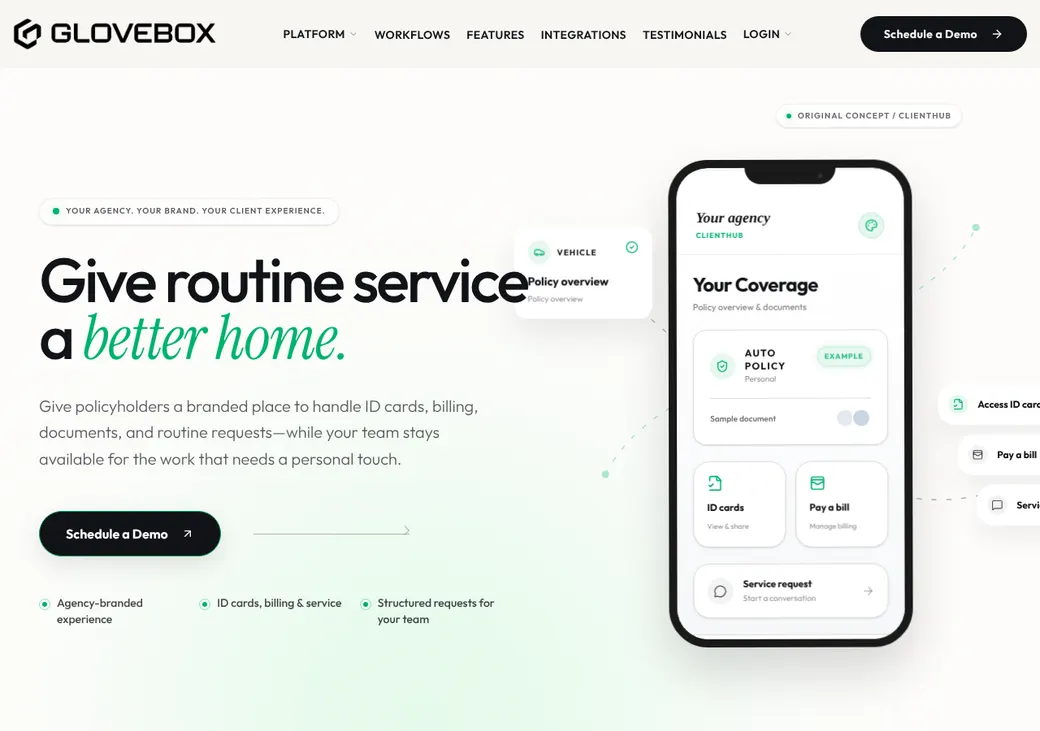
ClientHub, the client app for policies, ID cards and service requests, is a separate GloveBox product. Ask whether your CRM plan includes it.
Getting started
Pick Solo or Team at checkout
Monthly or yearly. You can move from Solo to Team later.
Import your book
Upload personal and commercial clients, prospects and former clients, or connect Momentum AMP, EZLynx or HawkSoft.
Connect your website forms
Form leads land in the New Leads stage. Other sources can come in through Zapier.
Register for texting
Complete the phone carrier registration so texts can go out. Approval takes 5 to 10 business days.
Turn on campaigns
Pick from the built-in sales, renewal and win-back campaigns and set when each one starts.
GloveBox says agencies can be set up the same day from a client list. Support is by chat, email and a help center.
Lead intake
Website forms drop new leads straight into the New Leads stage of your sales pipeline. Other forms and lead sources connect through Zapier.
- Ways leads come in
- Website forms, CSV import, Zapier or typed in by hand
- Lead vendors
- No built-in lead vendor feeds. Vendors that post to Zapier can deliver
- Duplicates
- Momentum AMP matches contacts by email or phone and policies by policy number. EZLynx imports match against earlier ones
- Service email
- A service inbox turns client emails into service requests, not sales leads
Assignment rules
Round robin
New leads take turns across a sales team.
Weighted
Some producers get a bigger share of new leads than others.
One named user
Send work to a specific person, a service team or the contact's owner.
- Separate teams
- Personal and commercial teams can be set up apart
- Two owners
- A contact keeps its owner while someone else owns a quote, renewal or claim
- Unmatched HawkSoft users
- Records go to the CRM admin owner
Follow-up and calling
A campaign starts when a lead enters a stage and stops when it moves on. You can also pause it when the prospect replies. GloveBox lists more than 100 ready-made campaigns for sales, service, renewals and win-backs.
- Texting
- Built in, after the one-time phone carrier registration
- Calling
- Lightspeed Voice pops up the caller and saves recordings as notes. There's no built-in dialer
- Opt-outs
- STOP ends texts and an unsubscribe link ends email. The lead form has a Do Not Contact choice
- After a sale
- A won deal becomes a policy record. Momentum AMP agencies can push it into the AMS
- Watch for
- Check that each sales campaign stops once a policy is bound or a quote is declined
Client and policy records
Personal contacts link to family members, and a person can link to several businesses. Policies and quotes keep the carrier, line, dates, premium and status.
- With an AMS
- Your AMS stays the source of truth for policies and accounts
- Additional insureds
- A second contact can be linked to a policy
Renewals, retention and cross-sell
Renewals
Policies enter renewal work before they expire, 60 days ahead by default for personal lines. If nobody acts, the CRM marks the renewal done and creates the next term.
Cross-sell
Filter personal-lines clients with one policy, pick the line to offer and launch a campaign.
Win-backs
A lost prospect gets an x-date from their current policy, with touches at 60, 40 and 30 days.
Connections
| Connects to | Type | How | What it does |
|---|---|---|---|
| Momentum AMP | Agency system | Built in | Contacts, policies, quotes and deals sync in either direction or both, within about 15 to 30 minutes |
| EZLynx | Agency system | File import | A daily import of contacts, policies, notes, renewals and cancellations |
| HawkSoft | Agency system | Built in | Client and policy data come in. Needs a HawkSoft Marketplace subscription |
| Lightspeed Voice | Phone | Built in | Caller pop-up and call recordings saved as notes |
| Gmail, Outlook and other email | Built in | Email synced to client records | |
| PolicyAssist | Service | Built in | Client service forms become service requests |
| Gravity Forms | Forms | Zapier | A form entry creates a contact and a new lead |
| Zapier | Automation | Zapier | Leads and tasks to and from other apps |
Direct carrier downloads through IVANS ended on January 1, 2026. IVANS updates processed in EZLynx still arrive through the daily EZLynx import. Zapier needs its own account, billed by Zapier.
Commissions
You set default new-business and renewal commission rates, then override them by carrier and line. Those rates drive expected revenue in the sales and agency reports. Statement import, splits and producer payouts aren't part of it.
Client portal and mobile app
- For your team
- A web app you can save to a phone home screen. No app store app
- For clients
- ClientHub shows policies, ID cards and documents and takes service, quote and claim requests, on the web or iPhone and Android
Reporting
Reports you get
- Lead source saved on every lead
- Pipelines filtered by lead source and owner
- Won and lost deals with loss reasons
- New business by premium, revenue and commission
- Renewal results and projected renewals
- Team activity
What users say
What reviewers say most often, as of October 2026.
What users like
- Pipelines and campaigns built for insurance
- Easy to use
- Quick to set up
- Sales, service and renewal automation
- A responsive team
What users dislike
- Bugs and growing pains
- Uneven onboarding and support
- Emails landing in spam
Contract and cancellation
- Term
- Month to month, or 12 months paid yearly
- Renewal
- A yearly plan renews for another 12 months on its own
- Notice
- Give 90 days notice before a yearly renewal
- Your data
- Ask for a download within 30 days of leaving. The full exit file costs $1,500
From GloveBox's subscription terms. The exit file holds contacts, policies, emails, texts, notes, tasks and attachments.
GloveBox CRM alternatives
- AgencyZoomFrom $119.20 a month for up to 7 users, billed yearlyLead vendor post URLs and shot clocks for idle leads
- InsuredMineFrom $106 a user per month, billed yearlyTwo-way sync with AMS360, Applied Epic and HawkSoft
- JenesisLinkQuote onlyLead and renewal follow-up tied to the Jenesis AMS
- MedicarePRO CRMFrom $45 a monthA similar flat monthly price, built for Medicare agents
See every option in insurance lead management software.
Frequently asked questions
How much does GloveBox CRM cost?
Solo is $49 a month for one user and Team is $79 for two, plus $49 for each extra seat. Paying for a year at once brings Solo to $41.65 a month.
Does GloveBox CRM have a free trial?
No. You can start on a monthly plan instead of a yearly one.
Can GloveBox CRM take leads from my lead vendors?
Only through Zapier or a CSV import. Website forms post in directly.
Does GloveBox CRM work with Momentum AMP or EZLynx?
Momentum AMP syncs both ways. EZLynx sends a daily file import, and HawkSoft data comes in through its marketplace.
Can I cancel GloveBox CRM any time?
A monthly plan, yes. A yearly plan renews on its own unless you give 90 days notice.
How we researched this review. We based this review on the pricing, terms and product pages published by GloveBox CRM, reviewed in October 2026, together with our team's experience working with insurance agents and agency owners since 2008.
Corrections
Vendors change their pricing all the time and they don't email us when they do. So if you see a price on here that's gone up, a plan GloveBox CRM quit selling or a contract term that reads different now, let us know and send the link to the page where GloveBox CRM has it. Somebody here pulls up that page and checks it before we change anything on ours.