Choices Agency Anywhere and Self Serve Certificates review: pricing, certificates and AMS connections
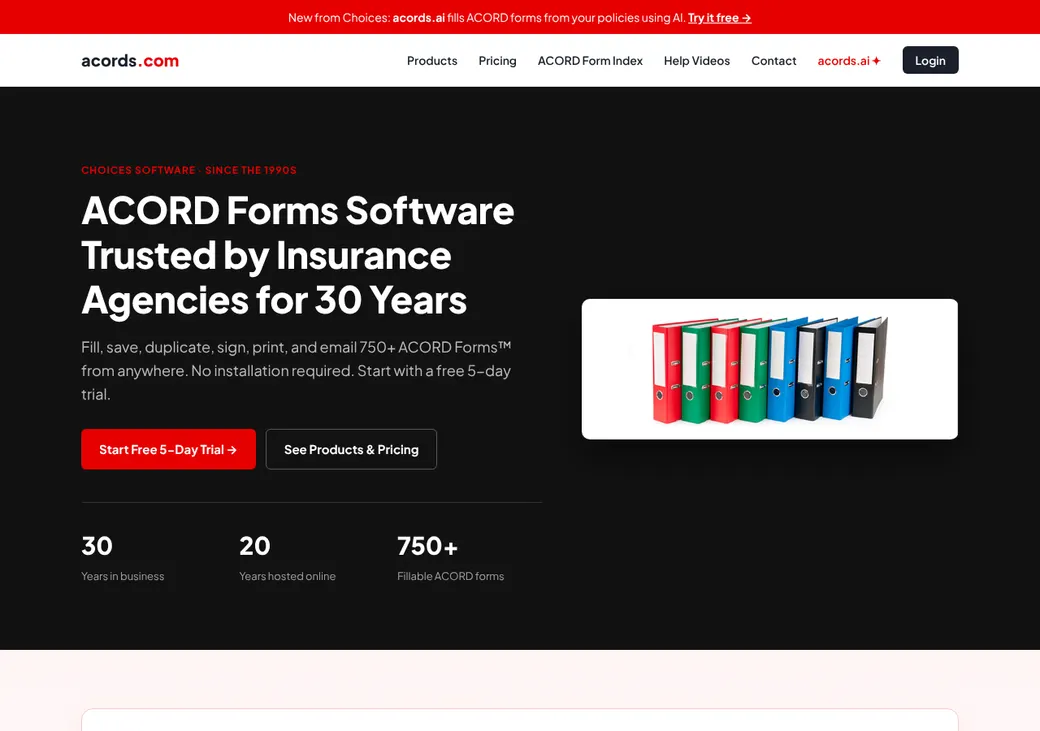
Choices Software sells Agency Anywhere, hosted ACORD form software with 750+ fillable forms plus contact, certificate holder and policy records for agencies. Self Serve Certificates is an add-on login site where certificate holders get the agency's signed certificate at any hour. The newer acords.ai fills ACORD forms from uploaded policies with AI and makes one certificate per holder from a spreadsheet.
Plans run from $180 per year to $540 per year, and Self Serve Certificates is $400 per year and needs a Bronze plan.
- Best for
- Small agencies that fill ACORD certificates by hand and want a low yearly price
- Type
- Hosted ACORD forms with a holder self-service add-on
- Price
- From $180 a year
- Agency Anywhere
- $300 to $540 a year
- Free trial
- 5 days, started from the login page
- Policy data from
- Typed in by staff, or read from uploaded documents by acords.ai
- Holder self-service
- Certificate holders log in for the signed certificate, a $400 a year add-on
- Tracks vendor certificates
- No
Our take
Choices fits a small agency that fills ACORD certificates by hand and wants a low yearly price without an AMS. Bronze at $300 a year is the first plan that saves certificates and holders, and Self Serve Certificates adds a login where holders get the signed certificate.
The limit to know first is that nothing connects to your AMS. Staff type policy details or use acords.ai, and certificates don't update when a policy changes.
Pros
- 750+ fillable ACORD forms, including ACORD 25 in the 2025/12 edition
- Fill to another form carries common data into a new form
- Holders can pull the agency's signed certificate at SelfServeCertificates.com at any hour
- Published annual prices for every Agency Anywhere plan
Cons
- Policy data is typed into Agency Anywhere or read from uploaded documents in acords.ai rather than pulled from an agency management system
- Self Serve Certificates is a separate add-on that needs a Bronze plan
- Additional users are priced on request
Plans and pricing
| Plan | Price | What you get |
|---|---|---|
| Basic FillFilling forms only | $180 a year | 750+ fillable ACORD forms and commercial proposal forms |
| Agency Anywhere BronzeAgencies that reissue certificatesFirst plan with certificates | $300 a year | Basic Fill plus contacts, certificate management and a user activity log |
| Agency Anywhere SilverAgencies that track policies | $420 a year | Bronze plus policies, documents, notes, letters, to-dos and a calendar |
| Agency Anywhere GoldAgencies that want a light back office | $540 a year | Silver plus claims, commissions, invoices, payments, leads and custom apps |
Prices as of October 2026, from acords.com. Each plan is billed yearly, and extra users are priced on request.
| Add-on | Price | What it does |
|---|---|---|
| Self Serve Certificates | $400 a year | Certificate holders log in and get the agency's signed certificate. Needs Bronze |
| acords.ai | $250 to $400 a year for one user | Pulls details out of the files you upload and places them on ACORD forms with AI. Unlimited AI fills |
Good to know before you buy
- acords.ai is a separate product with its own login and billing, paid monthly or yearly and priced by team size.
- acords.ai has its own 5-day free trial.
- Self Serve Certificates is set up by contacting Choices.
To see how Choices Agency Anywhere and Self Serve Certificates compares on price, open our cost guide.
Which plan has it
| Feature | Basic Fill | Bronze | Silver | Gold |
|---|---|---|---|---|
| 750+ fillable ACORD forms | ||||
| Fill, save, sign, print and email | ||||
| Contacts | ||||
| Certificate management | ||||
| User activity log | ||||
| Policies and expiration lists | ||||
| Documents, notes and letters | ||||
| Claims, commissions and invoices |
Self Serve Certificates needs Bronze or higher.
Getting started
Start the trial
Click Login, then New Customers Start Here, for 5 days of access.
Add contacts and holders
Enter your insureds and certificate holders. Holders can be duplicated, merged and searched.
Fill and save certificates
Fill an ACORD form once, save it, then duplicate it for the next holder.
Add self-service if you want it
Contact Choices to add Self Serve Certificates to a Bronze or higher plan.
Short help videos cover forms, contacts, holders, policies, expirations, invoices and to-do items. Support is by email and contact form.
Issuing certificates
- Who issues
- Agency staff, filling each form in the browser with no install
- Policy data
- Typed in. Fill to Another Form carries common data from one saved form into a new one
- Bulk
- acords.ai Merge Holders makes one certificate per holder from a spreadsheet
- Delivery
- Sign, print, combine or email forms. Forms can be password protected before sending
ACORD forms and policy data
| Form | What it is | Edition |
|---|---|---|
| ACORD 25 | Certificate of liability insurance | 2025/12 |
| ACORD 24 | Certificate of property insurance | 2016/03 |
| ACORD 27 | Evidence of property insurance | 2016/03 |
| ACORD 28 | Evidence of commercial property insurance | 2016/03 |
| ACORD 101 | Additional remarks schedule | 2008/01 |
| ACORD 855 NY | New York construction addendum | 2014/05 |
The library holds 750+ fillable ACORD forms, and Choices updates it as ACORD releases new editions. Choices calls itself a value-added distributor of ACORD forms and isn't part of ACORD.
Nothing connects to an AMS, so policy details come from staff or from documents acords.ai reads. acords.ai takes policies, prior ACORD forms, screenshots and emails.
Self-service for insureds and holders
- Who uses it
- Certificate holders, at SelfServeCertificates.com
- How it works
- The holder logs in with an email address and the agency's signed certificate appears at once
- Price
- $400 a year on top of a Bronze or higher plan
Renewals and policy changes
The Policies module on Silver and Gold builds expiration lists and policy reports from the policies you enter. Certificates are not updated for you when a policy changes, so staff refill and resend them.
Security and audit trail
Who sees what
Each user logs in to the agency's hosted account. Extra users are added on request.
Security
- User activity log on Bronze and higher
- Password-protected forms
- Hosted online, no install
Contract and your data
- Term
- A yearly subscription for Basic Fill and Agency Anywhere
- acords.ai
- A monthly or yearly subscription with its own terms, dated September 17, 2026
acords.com has no published terms page. Ask about renewal, refunds and getting your saved forms out before you pay.
Choices Agency Anywhere and Self Serve Certificates alternatives
- Insurance Agent App Certs on Demand$382 a year up to 100 clientsPulls policy data from your AMS into a branded client app, priced as the whole app
- CertificialFree for agenciesFree agency account that syncs HawkSoft or Momentum policies
- Certificate HeroQuote onlyAMS-fed certificates with contract checks, for larger brokers
See every option in COI issuance and tracking software.
Frequently asked questions
How much does Choices cost?
Basic Fill is $180 per year. Agency Anywhere plans are $300 per year for Bronze, $420 per year for Silver and $540 per year for Gold. Additional users are priced on request.
How much is Self Serve Certificates?
Self Serve Certificates is $400 per year and needs an Agency Anywhere Bronze plan.
Is there a free trial?
Basic Fill and Agency Anywhere have a 5-day free trial that starts from the login page.
Does it have the latest ACORD 25?
Yes. The library carries ACORD 25 in the 2025/12 edition, and Choices updates the library as ACORD releases new editions.
What is the difference between Agency Anywhere and acords.ai?
Agency Anywhere is an annual subscription that stores your forms, contacts and holder lists. acords.ai is a separate subscription that fills ACORD forms from uploaded documents with AI, with unlimited AI fills billed monthly or yearly.
How we researched this review. We based this review on the pricing, terms and product pages published by Choices Agency Anywhere and Self Serve Certificates, reviewed in October 2026, together with our team's experience working with insurance agents and agency owners since 2008.
Page Details
We regularly scan for updates across all listed vendors. That said, we are human and do miss details from time to time. If you see a plan detail, a listed price or anything else that looks to be incorrect or missing from this Choices Agency Anywhere and Self Serve Certificates page, please let us know using the “Submit an edit” button below. Someone will review each submission and update the page when validated.