Microsoft 365 Business and Exchange Online review: plans, pricing and email features for agencies
Microsoft 365 gives your agency Outlook email on its own domain, run on Exchange Online. You can buy the mailbox alone or bundled with Word, Excel, Teams and OneDrive.
It fits agencies that already live in Outlook, including those on Applied Epic. Business Premium at $22 a person a month is the plan to price if you need encrypted email or legal hold.
- Best for
- Agencies that work in Outlook and Office, from one person to 300
- Price
- Email only from $4 a person a month. Business plans from $7, billed yearly
- Free trial
- One month on Business Basic, Standard and Premium. Card needed
- Mailbox size
- 50 GB to 100 GB a person, plus an archive
- Shared inboxes
- Shared mailboxes up to 50 GB need no license
- Legal hold
- Business Premium or Exchange Online Plan 2
- AMS connections
- Applied Epic Outlook add-in and AgencyZoom
- Contract
- Yearly or month to month
Our take
Microsoft 365 is the safe pick for an agency that runs on Outlook. The Applied Epic add-in files mail from Outlook, and AgencyZoom logs it from the mailbox.
Business Premium is the plan to price first, since it adds encrypted email, legal hold and checks on lookalike senders. An office that only needs mailboxes can start on Exchange Online Plan 1 at $4 a person.
The settings take some care, so plan on an IT partner or a confident admin.
Pros
- Shared mailboxes up to 50 GB need no license
- Works with the Applied Epic Outlook add-in and AgencyZoom
- Email-only plans from $4 without the Office suite
- Archive grows to 1.5 TB on Premium and Plan 2
- Microsoft sells its own backup service
Cons
- Lookalike-sender checks and encrypted email need Business Premium
- Exchange Online plans include no desktop Outlook
- Backup is a separate charge by the GB
- Security settings usually need an IT partner
Plans and pricing
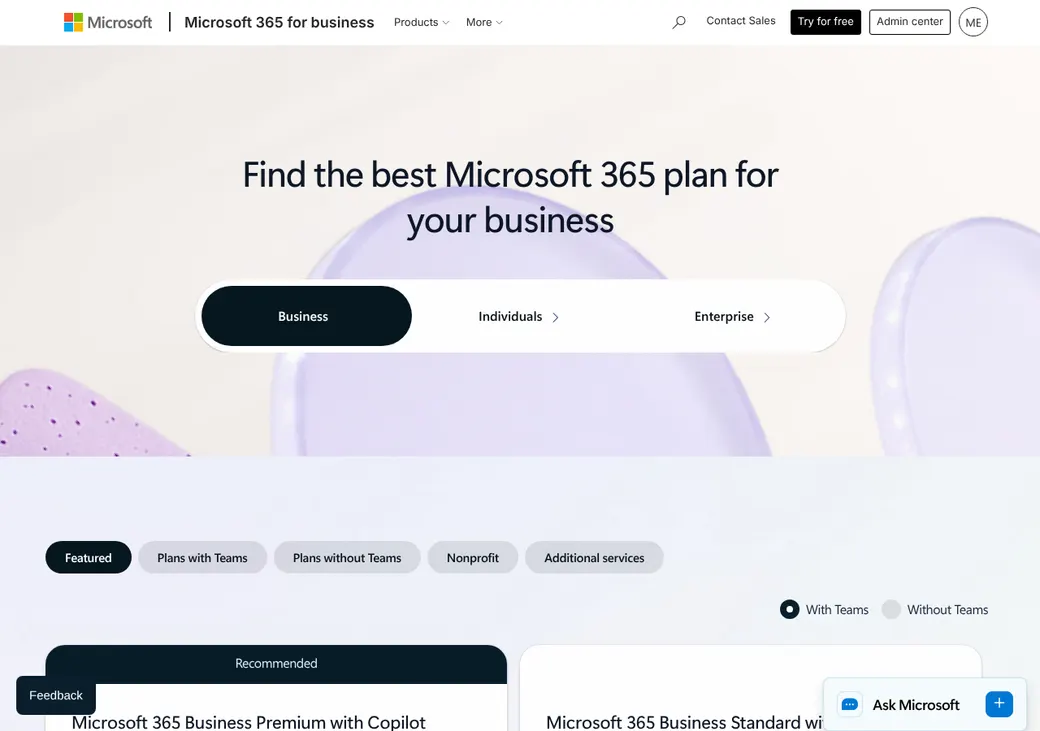
| Plan | Billed yearly | Without Teams | Mailbox | What it adds |
|---|---|---|---|---|
| Exchange Online Plan 1Email only, on a budget | $4 | Same price | 50 GB | Email, calendar and contacts. No Office apps |
| Exchange Online Plan 2Email only, with legal hold | $8 | Same price | 100 GB | Legal hold, data loss prevention and a 1.5 TB archive |
| Business BasicWeb and phone Office apps | $7 | $5.40 | 100 GB | Outlook on the web, Teams and 1 TB of OneDrive |
| Business StandardDesktop Outlook and Office | $14 | $10.79 | 100 GB | Desktop Word, Excel, PowerPoint and Outlook |
| Business PremiumSecurity, encryption and legal holdAdds legal hold and encryption | $22 | $18.79 | 100 GB | Phishing protection, encrypted email, legal hold and device management |
Prices are per person each month on a yearly subscription, before tax, as of October 2026, from Microsoft's plan pages. Month to month costs more, such as $26.40 for Business Premium.
What it would cost you
Cost per month
First-year cost
Email cost per client a month
Uses the yearly prices with Teams. Shared mailboxes up to 50 GB are free, so leave them out.
Good to know before you buy
- Business plans can be mixed, up to 300 people in total.
- Microsoft 365 Backup is pay as you go at $0.15 per GB of protected mail and files a month.
- Defender for Business adds device protection to Basic or Standard for $3 a person a month.
Which plan has it
| Feature | Basic | Standard | Premium |
|---|---|---|---|
| Mailbox | 100 GB | 100 GB | 100 GB |
| Archive mailbox | 50 GB | 50 GB | Up to 1.5 TB |
| Desktop Outlook, Word and Excel | |||
| Shared mailbox with no license | |||
| eDiscovery content search | |||
| Legal hold | |||
| Link scanning when clicked | |||
| Attachment sandbox and impersonation checks | |||
| Encrypted email to anyone | |||
| Data loss prevention | |||
| Device management and access rules |
Exchange Online Plan 1 matches Basic for email without the Office apps. Plan 2 adds legal hold, data loss prevention and the 1.5 TB archive.
AMS and CRM connections
| Connects to | Type | How | What it does |
|---|---|---|---|
| Applied Epic | Agency system | Outlook add-in | Attaches sent and received Outlook email to the client's Epic account |
| AgencyZoom | CRM | Built in | Pulls mail in and out and logs it on the matching lead or customer. Can be limited to chosen folders |
| Microsoft Bookings | Scheduling | Built in | Clients book time on Outlook calendars. Comes with the plans that include Teams |
| Microsoft Graph | Developer access | API | How add-ins and sync tools read mail, calendars and contacts |
Older add-ins need an update by April 2027. Microsoft is retiring the older connection that many Outlook add-ins use, with the switch-off finished on April 1, 2027. Ask your AMS or CRM vendor whether its add-in will keep working.
Phishing and sign-in protection
- Two-step sign-in
- Yes, on every plan
- Single sign-on
- Yes, on every plan
- Spam and malware
- Filtered with a quarantine on every plan
- Link scanning
- Links are checked when clicked, on every Business plan
- Impersonation and attachments
- Defender for Office 365 on Business Premium checks lookalike senders and opens attachments in a sandbox
- Access rules
- Business Premium can block sign-in by device, location or risk
Business Premium also adds device management through Intune and Defender for Business on laptops and phones.
Encryption for client documents
Encrypted email to clients
Business Premium includes Microsoft Purview Message Encryption. A client opens the message in Outlook or a web page after signing in with a Microsoft or Google account or a one-time code. Senders can pull a message back from Outlook on the web.
On every plan
- Encrypted connections and encrypted storage
- S/MIME certificate email
- Encrypt-only and Do Not Forward options
An encrypted message can carry up to 25 MB. Expiry dates need Advanced Message Encryption, which no Business plan includes. Mail from a shared mailbox can't be encrypted with its own key.
Retention, archive and legal hold
- Archive
- 50 GB on Basic, Standard and Exchange Plan 1. Grows to 1.5 TB on Premium and Exchange Plan 2
- Retention rules
- Set by your agency. Microsoft sets no multi-year default
- eDiscovery search
- Content search on every plan
- Legal hold
- Litigation Hold on Business Premium and Exchange Online Plan 2
- Deleted items kept
- 30 GB, or 100 GB when the mailbox is on hold
Backup and recovery
- Deleted mail
- Recoverable for 14 days, or up to 30 if the admin raises it
- Deleted user
- The mailbox can be recovered for 30 days
- Provider backup
- Microsoft 365 Backup, paid by the GB, keeps restore points up to a year for user and shared mailboxes
- Independent copy
- Your choice and your cost, through Microsoft 365 Backup or another service
Microsoft copies mailboxes across its data centers, but that protects against outages, not a deleted folder or a ransomware attack.
Domain setup and sending limits
- SPF
- Added during domain setup in the admin center
- DKIM
- Publish two CNAME records at your DNS host, then turn on signing
- DMARC
- Recommended by Microsoft. You add the record
- Who edits DNS
- Your agency or your IT partner, at the DNS host
- Sending limit
- 10,000 recipients a mailbox each day and 1,000 on one message
SPF, DKIM and DMARC prove that mail from your domain is really yours. Microsoft says bulk campaigns belong in an email marketing tool on its own sender.
When a producer leaves
Block sign-in
Do it in the admin center the day they leave.
Turn the mailbox into a shared mailbox
It keeps the mail and needs no license up to 50 GB, so you can drop the paid seat.
Give a colleague access
Grant another employee the mailbox and the producer's OneDrive files.
Keep the address working
Move the address to another mailbox or leave it on the shared mailbox.
Hold it if a claim is open
Litigation Hold needs Business Premium or Exchange Online Plan 2. You can also export to a PST file.
If you only remove the license, mail, contacts and calendar are deleted after 30 days.
Getting started
Start the one-month trial
Business Basic, Standard and Premium have one. It needs a card and becomes a paid plan unless you cancel.
Add your domain
The admin center walks you through the DNS records.
Create people and shared mailboxes
Add each user, then shared mailboxes such as service@.
Move old mail
Use IMAP, cutover or staged migration in the Exchange admin center, or import PST files.
Switch mail and set DKIM
Point your MX record (where mail goes) to Microsoft, then publish the DKIM records.
The built-in migration tools cost nothing extra. Many agencies hire a Microsoft partner to set security settings.
Admin and support
- Admin console
- Microsoft 365 admin center and Exchange admin center
- Admin roles
- Role-based permissions and role groups
- Activity log
- Purview Audit (Standard) on every Business plan
- Uptime promise
- Financially backed on every Business plan
- Support
- Phone and web support any time. Partners support their own customers
- Where you buy it
- Online from Microsoft, by phone at (800) 642-7676 or through a Microsoft partner
When you buy direct, your agency holds the global admin account. Make sure that stays true if a partner sets you up.
Contract and your data
- Billing
- Month to month, or a yearly subscription paid monthly or up front
- Renewal
- Yearly subscriptions renew on their own
- Canceling
- Monthly plans any time. A yearly plan paid monthly may carry a penalty
- Refunds
- Prorated within 7 days of a paid start. None for leaving a prepaid yearly plan early
- Getting your mail out
- Download mail and files before you cancel, or export to PST
- After you cancel
- Admins can still reach the data for 90 days. It is deleted within 180 days
From Microsoft's subscription and cancellation help pages, checked October 2026.
Microsoft 365 Business and Exchange Online alternatives
- Google WorkspaceFrom $7 a user a month billed yearlyGmail with free group inboxes and EZLynx and HawkSoft links
- Intermedia Exchange EmailFrom $10.60 a user a month billed yearlyHosted Exchange with migration and phone support done for you
- Zoho Mail and WorkplaceFree for 5 people. Paid from $1 a user a monthLower prices, with legal hold on Mail Premium
- Rackspace Email$10 a user a month, month to monthEmail only, with a seven-year archive as an add-on
See every option in business email providers.
Frequently asked questions
How much is Microsoft 365 for an insurance agency?
Billed yearly, Business Basic is $7, Standard $14 and Premium $22 a person a month. Email-only Exchange Online starts at $4.
Does Microsoft 365 work with Applied Epic?
Yes. The Applied Epic Outlook add-in attaches sent and received mail to the client account.
Does a shared mailbox cost extra?
No, up to 50 GB. Each person who opens it needs their own license.
Which plan has legal hold?
Business Premium or Exchange Online Plan 2. Basic and Standard have no Litigation Hold.
Can I send encrypted email to clients?
Business Premium can, and clients open it in a browser with a one-time code. Every plan supports S/MIME if both sides set up certificates.
Does Microsoft back up our email?
Deleted mail comes back for 14 to 30 days. For a real backup, Microsoft 365 Backup charges by the GB.
How we researched this review. We based this review on the pricing, terms and product pages published by Microsoft 365 Business and Exchange Online, reviewed in October 2026, together with our team's experience working with insurance agents and agency owners since 2008.
Corrections
Vendors change their pricing all the time and they don't email us when they do. So if you see a price on here that's gone up, a plan Microsoft 365 Business and Exchange Online quit selling or a contract term that reads different now, let us know and send the link to the page where Microsoft 365 Business and Exchange Online has it. Somebody here pulls up that page and checks it before we change anything on ours.