
BenefitFlow review for insurance agents: data, pricing and permitted use
BenefitFlow is a prospecting tool for benefits brokers and carriers built on Form 5500 filings, with workers comp, OSHA and DOT data added. It pushes employers, brokers and contacts into your CRM.
The renewal date is the filed month and day of the employer's largest benefits policy. Pricing is quoted by plan and team size.
- Best for
- Benefits brokers and carriers who want employer, broker and workers comp data synced to their CRM
- Data type
- Form 5500 benefits data with workers comp, OSHA and DOT
- Renewal date
- Filed month and day of the largest benefits policy
- Lines
- Group benefits, retirement, workers comp and commercial P&C
- Price
- Quote only. No setup fee
- Delivery
- Salesforce, HubSpot, Dynamics and CSV
- Trial or sample
- Demo on request
Our take
BenefitFlow fits a brokerage that sells benefits and commercial lines and lives in Salesforce, HubSpot or Dynamics. Its CRM sync and data glossary are more thorough than most here.
The renewal date follows the largest policy, so other lines can renew at different times.
Prices and terms are private. Ask for both before the demo turns into a contract.
Pros
- Updates Salesforce, HubSpot and Dynamics records
- Form 5500 data loaded daily
- Workers comp, OSHA and DOT next to benefits data
- A glossary that names the source of each field
- Signals for broker changes and contact job moves
Cons
- No posted prices
- Terms aren't public
- No free trial
- One renewal date per employer, from the largest policy
- Contact reveals use credits that expire yearly
Data sources and dates
| Source | What it gives you | How often it updates |
|---|---|---|
| Form 5500 and Schedule A filings | Plans, carriers, premiums, commissions and brokers | Daily. Filings trail the tax year by about seven months |
| State workers comp data, NCCI and carrier filings | Workers comp carrier, broker, policy term and renewal | Quarterly |
| NCCI and state regulators | Experience mod | Regularly |
| OSHA and FMCSA | Inspections, violations, penalties, fleets and crashes | Weekly |
| State insurance departments | Producer licenses and carrier appointments in 40 states | Monthly |
| Public profiles and contact partners | Names, titles, emails and phones | Every two weeks |
| BenefitFlow models | Cleaned names, nearest broker office and modeled premium splits | Ongoing |
- Renewal date
- Month and day, with no year
- How it's built
- Benefits use the employer's largest policy by premium. P&C uses workers comp policy terms
One date stands in for every line. The benefits renewal follows the biggest policy, so dental or life can renew at another time. Check each line before you plan the pitch.
Coverage
- Lines
- Group health, dental, vision, life, disability, retirement, workers comp and commercial P&C
- Prospect type
- Employers, broker firms, offices and their people. None asked for a quote
- States
- All states. Producer licensing covers 40
- Record count
- More than 3 million decision maker contacts
Fields, filters and sample
Fields you get
- Carriers, premiums and commissions
- Contact name, title, email, mobile and work phone
- Employee and eligible counts
- Employer name, website, EIN and industry
- Funding type
- OSHA and DOT records
- Plan and policy details
- Primary broker and office
- Renewal month and day
- Workers comp carrier and experience mod
Filters
- Already in my CRM
- Benefit line
- Broker and office
- Carrier
- City, state, region, ZIP or radius
- Contact role
- Employer size
- Funding type
- Industry
- Renewal month
- Retirement plan
- Signals
- Workers comp and P&C fields
The BenefitFlow data glossary lists every field and where it comes from.
Freshness and accuracy
- Update schedule
- Form 5500 daily, contacts every two weeks, OSHA and DOT weekly, workers comp quarterly
- Email checks
- Run through ZeroBounce. No accuracy figure
Pricing, credits and exports
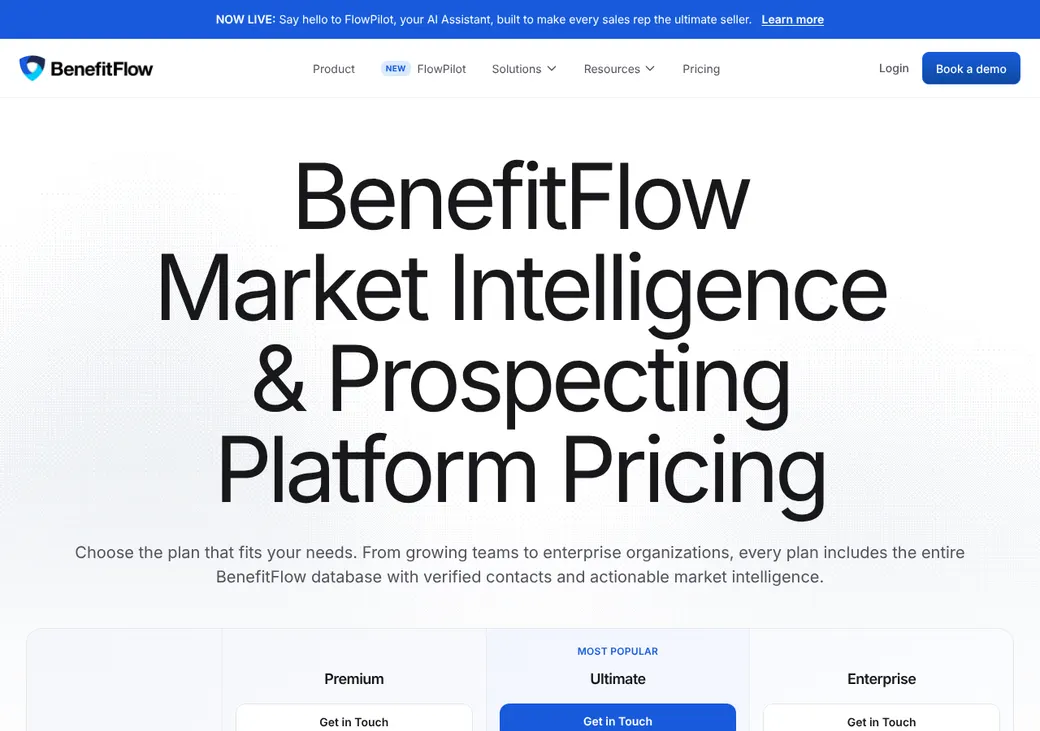
| Plan | Price | Billed | What you get | Users |
|---|---|---|---|---|
| PremiumA small benefits team | Quote only | Yearly | 5,000 contact reveals a year. Export up to 25,000 employers at once | Up to 3 |
| UltimateA growing brokerage | Quote only | Yearly | 20,000 contact reveals a year. Export up to 50,000 employers at once | Up to 7 |
| EnterpriseCarriers and large firms | Quote only | Yearly | Custom reveals and exports, plus a success manager | Custom |
From the BenefitFlow pricing page, checked in October 2026. Prices are quoted.
Good to know before you buy
- No setup fee.
- One credit reveals a contact's phone and email for your whole team.
- Unused credits reset at renewal and don't roll over.
- CRM enrichment and the SFTP data feed cost extra.
- Paying a year up front or signing for several years gets a discount.
Which plan has it
| Feature | Premium | Ultimate | Enterprise |
|---|---|---|---|
| Users | Up to 3 | Up to 7 | Custom |
| Contact reveals a year | 5,000 | 20,000 | Custom |
| Employers per export | 25,000 | 50,000 | Custom |
| Full database and filters | |||
| AI list building | |||
| CRM enrichment | Add-on | Add-on | |
| SFTP data feed | Add-on | ||
| Success manager |
Phone, email and Do Not Call
- Phone numbers
- One mobile and one work number per contact
- Cell phone flag
- Mobile numbers sit in their own field
- Checked through ZeroBounce
A phone or email field on a record does not give you consent to call, text or email.
Permitted use
BenefitFlow keeps its terms of service behind its Trust Center, so the public site sets no rules on sharing, resale or keeping data after you cancel.
Ask for the terms before you sign and check how long CRM records may stay after you leave.
Delivery and connections
| Connects to | Type | Direction | What it does |
|---|---|---|---|
| Salesforce | CRM | Out and update | Pushes employers, brokers, offices and contacts into mapped fields |
| HubSpot | CRM | Out and update | Same as Salesforce, with duplicate checks |
| Microsoft Dynamics 365 | CRM | Out and update | Syncs accounts and contacts with field mapping |
| Bulk data portal | SFTP | Out | Scheduled full data files over a secure file transfer (SFTP) for some customers |
| AI assistant link (MCP) | MCP | Read only | Lets supported AI assistants search and pull profiles |
- Download formats
- CSV and PDF profiles
Search, lists and alerts
- Search
- Employers, brokers, offices and contacts. Paste up to 500 employer websites at once
- Territories
- City, state, region, ZIP or radius, plus size and industry
- Saved searches
- Save and share filters and lists
- Signals
- Renewals, broker and carrier changes, OSHA, DOT and contact job moves, refreshed daily to weekly
Getting started
Book a demo
There is no self-serve trial.
Get a quote
Pick Premium, Ultimate or Enterprise by team size and reveal needs.
Connect your CRM
Map fields for Salesforce, HubSpot or Dynamics.
Build lists and push
Search or ask the AI helper for a list, then send it to the CRM.
Training webinars on Premium and Ultimate. Enterprise adds phone support and quarterly reviews.
Contract and refunds
- Term
- Yearly, with discounts for paying up front or signing for several years
- Switching vendors
- BenefitFlow may buy out a contract you have elsewhere
- Terms
- Terms of service in the BenefitFlow Trust Center
From the BenefitFlow pricing page and Trust Center listing, checked in October 2026.
BenefitFlow alternatives
- Zywave miEdgeQuote onlyBenefits and commercial data with nightly Salesforce matching
- Benefeature$1,925 a seat each yearPosted prices and modeled premium by product
- Judy DiamondFrom $300 a state each yearPay only for the states you work
- Insurance XdateFrom $100 a monthWorkers comp and DOT x-dates for commercial producers
See every option in insurance data providers.
Frequently asked questions
How much does BenefitFlow cost?
BenefitFlow quotes each plan and has no setup fee. Discounts apply when you pay a year up front.
Are BenefitFlow renewal dates filed?
Yes. It uses the month and day of the employer's largest benefits policy on Schedule A.
Which CRMs does BenefitFlow connect to?
Salesforce, HubSpot and Microsoft Dynamics 365. It can push new records and update existing ones.
Does BenefitFlow cover workers comp?
Yes. Employer profiles show workers comp carrier, broker, policy term and experience mod.
How we researched this review. We based this review on the product pages published by BenefitFlow, reviewed in October 2026, together with our team's experience working with insurance agents and agency owners since 2008.
Corrections
Vendors change their pricing all the time and they don't email us when they do. So if you see a price on here that's gone up, a plan BenefitFlow quit selling or a contract term that reads different now, let us know and send the link to the page where BenefitFlow has it. Somebody here pulls up that page and checks it before we change anything on ours.